


iOS 17.6 Problems, Bug Fixes, Security Improvements & More
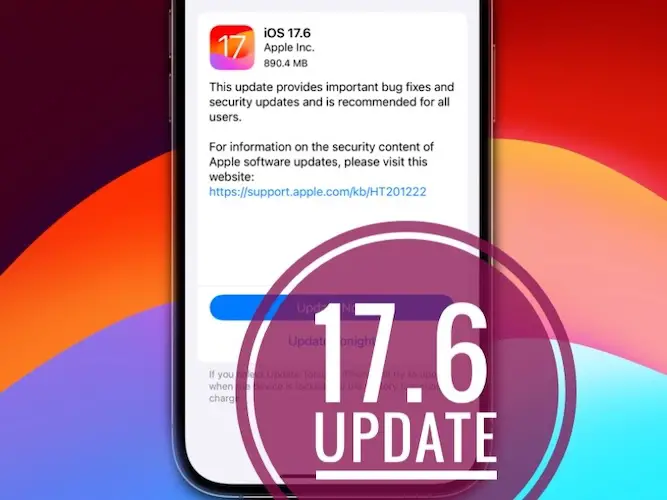
iOS 17.6 update.
iOS 17.6 problems? Check out issues reported by users that have already installed this version before you update your own devices! Build 21G80 is available for iPhone XS and later models and for all iPad models that are compatible with iPadOS 17. It comes with bug fixes and security improvements!
iOS 17.6 Problems
Issues mentioned by users as well as available workarounds are updated here:
- 1. Location Services icon shows up in status bar, although it’s turned Off in System Services? Reported by neon5k.
Fix: Reboot iPhone. - 2. Alarm not working after update? Jahmesz complains that his alarm did not ring. Anyone else having similar issues?
- 3. App Store app update not showing?
Workaround: Pull down the screen in the Profile view to refresh and cause the list to show up! - 4. GPS not working as expected for .
- 5. Hey Siri not working for some users, doesn’t complete queries.
Fix: Reboot iPhone. - 6. Apps not updating over WiFi as reported by Dennislad.
Workaround: Use cellular data instead. - 7. Cellular Connectivity issues reported by a series of users. iPhone cellular data not working when exiting WiFi range. Both physical SIM and eSIM seem to be affected.
Workaround: - 8. WiFi connectivity not working or is intermittent for many users on this Apple Discussion Forums.
Workaround: Turn WiFi Off and then back On in the Control Center. - 9. Freefire crashes unexpectedly after updating iPhone to iOS 17.6. (narissaff)
- 10. To be updated. (Contribute in the comments!)
iOS 17.6 Bugs Fixed
Apple mentions two problems that have been resolved in the Developer release notes:
- 1. Bluetooth headphones not working as audio output when certain configurations are used.
- 2. Front Camera not rotating as expected on iPad Air 6th gen and iPad Pro 7th gen.
- 3. To be updated. (Contribute in the comments!)
Other Fixes
Issues addressed in this update and not mentioned in the release notes are tracked here:
iOS 17.6 Security Improvements
This version comes with a significant list of patched vulnerabilities including:
AppleMobileFileIntegrity, CoreGraphics, CoreMedia, dyld, Family Sharing, ImageIO, Kernel, libxpc, Phone, Photos Storage, Sandbox, Shortcuts, Siri, VoiceOver and WebKit issue!
All details about these security improvements are available in the iOS 17.6 security content document!
iOS 17.6 Features
Don’t expect new features in this update. This release focuses on bug fixes and security improvements!
iOS 17.6 Update – How To
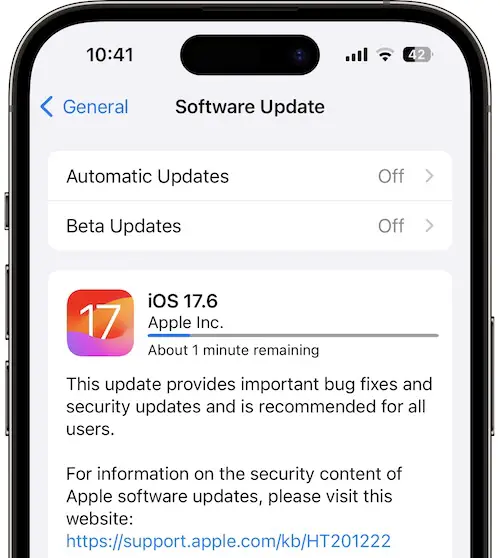
The latest release is available, over-the-air, and/or wired via computer and Finder (on Mac) or iTunes (on Windows):
- 1. Open Settings -> General -> Software Update using an iPhone XS or later.
- 2. iOS 17.6 should show up on the Software Update screen.
- 3. Tap Update Now!
- 4. Input Passcode if required and be patient until the new software is requested, downloaded, prepared, verified and installed on your device!
Have you updated iPhone or iPad to iOS 17.6? Share your feedback in the comments! We’re interested in fixes, improvements or any other changes that you might notice!
Related: Apple has also released iPadOS 17.6, watchOS 10.6, macOS Sonoma 14.6, tvOS 17.6, visionOS 1.3 and more!
Hy admin,
I am using Iphone 12 pro max after updating to 17.6 my battery start draining faster than before.
I even contacted to support team and they are unable to provide me any solution to resolve this issue.
Please advise if there is any way to get rid of this battery drain problem??
Restarting your phone can solve 90% of iOS problems. The remaining 10% can be handled by iOS repair tools, such as TunesKit iOS System Recovery. That’s what I did.