


How To Change Lock Screen Shortcuts On iPhone In iOS 18
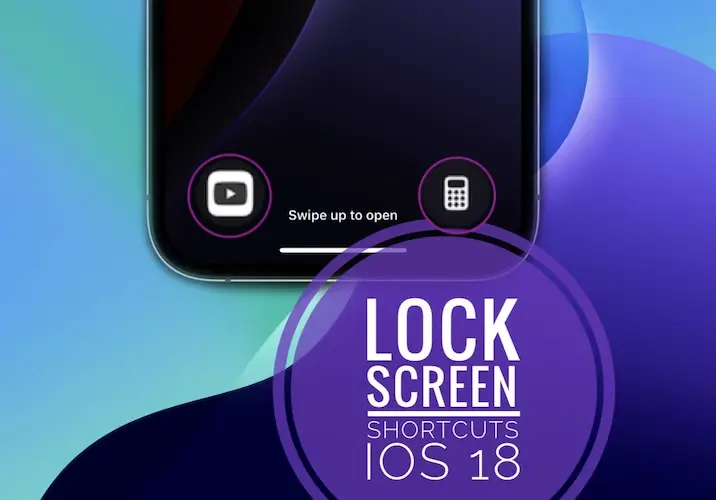
Change Lock Screen shortcuts iOS 18.
Yes, you can finally change Lock Screen shortcuts on iPhone in iOS 18! Users can quickly replace or completely remove the Flashlight and/or Camera control from the iPhone Lock Screen! You can easily do it as soon as you upgrade to the latest OS!
How To Change Lock Screen Shortcuts On iPhone
- 1. Wake iPhone and unlock it!
- 2. Touch & hold the Lock Screen to enter Edit mode.
- 3. Go for Customize.
- 4. Use the “-“ minus icon to remove the shortcut that you want to replace (for example, Camera).
- 5. Tap the “+” symbol that shows up.
- 6. Select the Control that you want to add and hit Done when ready!
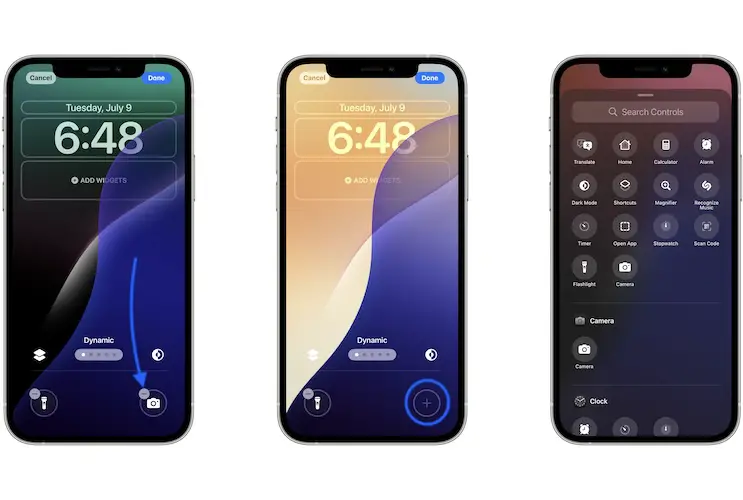
Fact: Yes, you can also leave the space blank if you don’t want to add any Controls at the bottom of your Lock Screen.
Change Lock Screen Camera Shortcut?
Replacing the Camera control from the top-right corner adds functionality to the Lock Screen!
That’s because you can quickly open the iPhone camera by sipping-left from the right edge of the Lock Screen.
This makes the Camera control redundant and thus replaceable with another function that you often use.
Tip: Popular replacements of the Camera app can be Calculator, Timer, Quick Note, Shortcuts, Voice Memo, Assistive Touch and other Accessibility Controls.
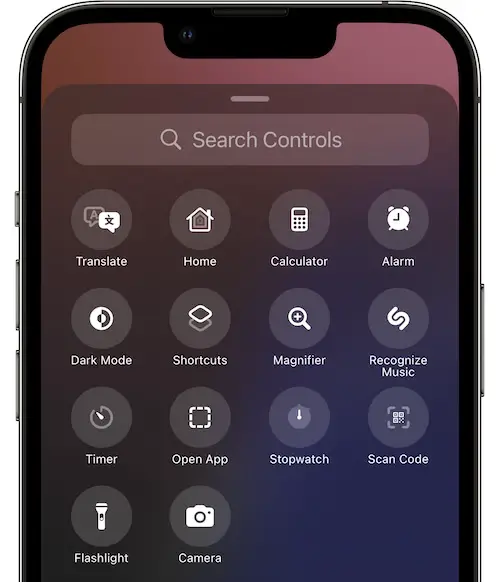
Fact: The Open App shortcut allows you to select and app from your iPhone that will be opened when you tap the control!

iOS 18 Lock Screen Shortcut Not Working?
Having problems triggering the Lock Screen controls? A tap isn’t enough to turn on the Flashlight or turn On the specific action.
You have to touch & hold the shortcut icon and this has to happen after the device is unlocked (via Face ID in most of the cases)!
Edit Lock Screen Shortcuts Video
Do you plan to use this new functionality? Which Lock Screen shortcut are you planning to replace? What app do you want to add as a shortcut? Are you encountering any issue? Share your feedback in the comments!
Related: How to add the Overnight Vitals widget to iPhone Lock Screen in iOS 18!