


How To Quickly Turn Off iPhone In iOS 18
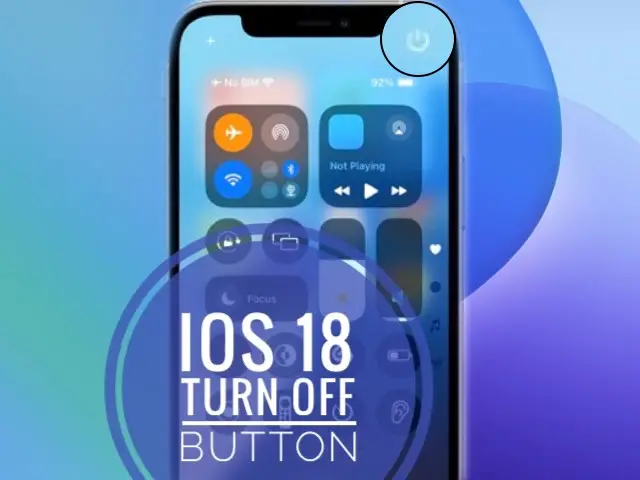
Turn Off iPhone from Control Center in iOS 18.
In iOS 18 you can quickly turn off iPhone from Control Center, without using any physical buttons. The digital Switch Off button shows up in the top-right corner of the screen!
3 Steps To Turn Off iPhone In iOS 18
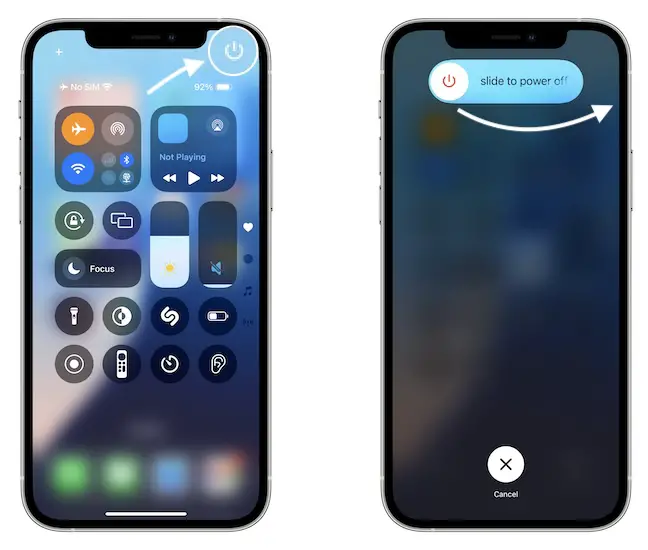
- 1. Open Control Center. (Swipe down from the top-right corner of the screen)
- 2. Tap the Power button available in the top-right corner of the screen.
- 3. Slide to power off.
Fact: That’s it, your device will switch off. To power it back on you have to go the old fashioned way and press & hold the physical Power Button until the Apple logo is displayed on the screen.
The iPhone will boot up. Provide your Passcode and your device will be ready to use.
Tip: You can use this turn off and back on sequence if you need to reboot your device to flush some temporary software errors and issues. There’s is also the force restart combo that’s still available!
Important: The old turn off option is also available in Settings -> General -> Shut Down (at the end of the menu).
What do you think about the new iOS 18 Control Center? To you find the digital Power Off button useful? Share your feedback in the comments!
Great tips for quickly turning off an iPhone on iOS 18! If anyone experiences shutdown issues or other system glitches, TunesKit iOS System Recovery is a helpful tool to fix them without data loss.
This was incredibly helpful. Thank you!