


How To Use Sign In With Apple In iOS 13
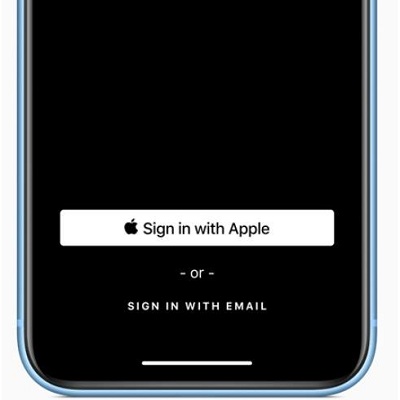
Sign in with Apple new iOS 13 feature.
In iOS 13 you have a 4th option that will allow you to use your Apple ID to sign in to third party apps and services. What’s great about this alternative new feature is that it enhances your privacy. The “Sign In With Apple” feature comes with a great extra. Apple won’t track or profile you when you use this new sign in option. More, you can also use the “Hide My Email” option and this way you won’t even share your real email address with the app or service. iOS will instead generate an unique, single-use email address that will used for the specific log-in and will forward to your real email address associated with your Apple ID!
How To Use “Sign In With Apple”
 1. Availability
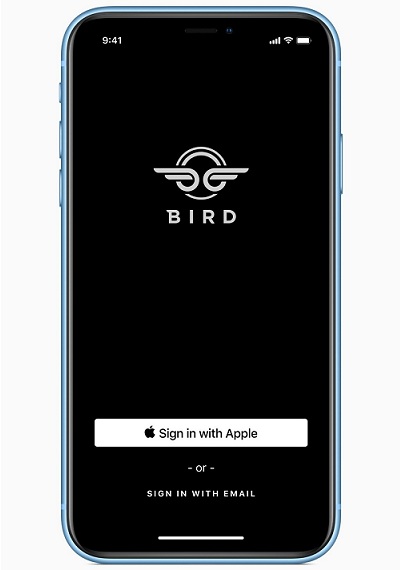
All iOS Developers are required to add the “Sign In With Apple” feature to App Store apps that already offer sign-in options with Google, Facebook or Twitter accounts.
More, because “Sign In With Apple” provides extra privacy Apple demands all iOS developers to make the feature the primary alternative sign-in option.
This means that all apps that accept log-ins with social media accounts will also feature the “Sign In With Apple” option.
 2. How To
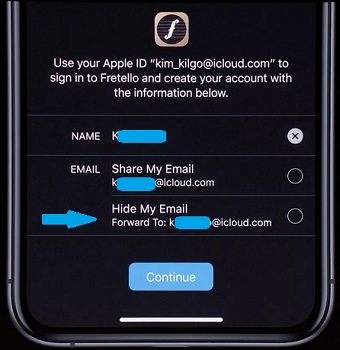
Nearby, you have a print-screen of the Bird app that features the new sign-in option as primary option. Tap it the new single sign-on (SSO) tool. Choose if you want to share your real email address. Else you can hide it and a new single-use email address that redirects to your real email will be created. This way the third party app developer won’t get any info about your email address, thus preventing your account from being exposed to spam or targeted advertising.
Tip: You can also edit the name that you share with the app and avoid providing your real name if you don’t want to.
Tap Continue, and proceed with Authentication. This is done with the help of Face ID or Touch ID depending on what type of iOS device you’re using. More, your info is even better protected with two-factor authentication.
Single-Use Apple ID Email Address
If you choose to hide your email with the “Sign In With Apple” option this is how your single-use email will look like. This one-time address will be public to the third party app developer. In case of a data breach of the servers of the third party app your personal info won’t be available.
fcb39eym9f@privaterelay.appledid.com
959golw3br@privaterelay.appledid.com
br64oiy7xs@privaterelay.appledid.com
Fact: Sign In With Apple works on all Apple Devices, the web and even on Android and Windows.
Related: iOS 13 brings the highlight anticipated system-wide Dark Mode. Check it out here.